Weekly
$4.99 / week
$0.99 for your first week
For eligible new subscribers. After the first week it renews at $4.99 a week unless you cancel.
- The full Sonder Plus experience
- Cancel any time in your Apple account
Know what’s ahead. Make choices with confidence. Give your money a place in the life you’re building.
Made for iPhone and iPad. Launching soon.

Can I afford that?
What happens before payday?
Am I making progress?
Are we planning for the same future?
See how it all fits
Move a purchase around and watch what it leaves. This is how Sonder thinks about every decision: not “is this expensive?” but “what does it do to the rest?”
A clearer view of your money
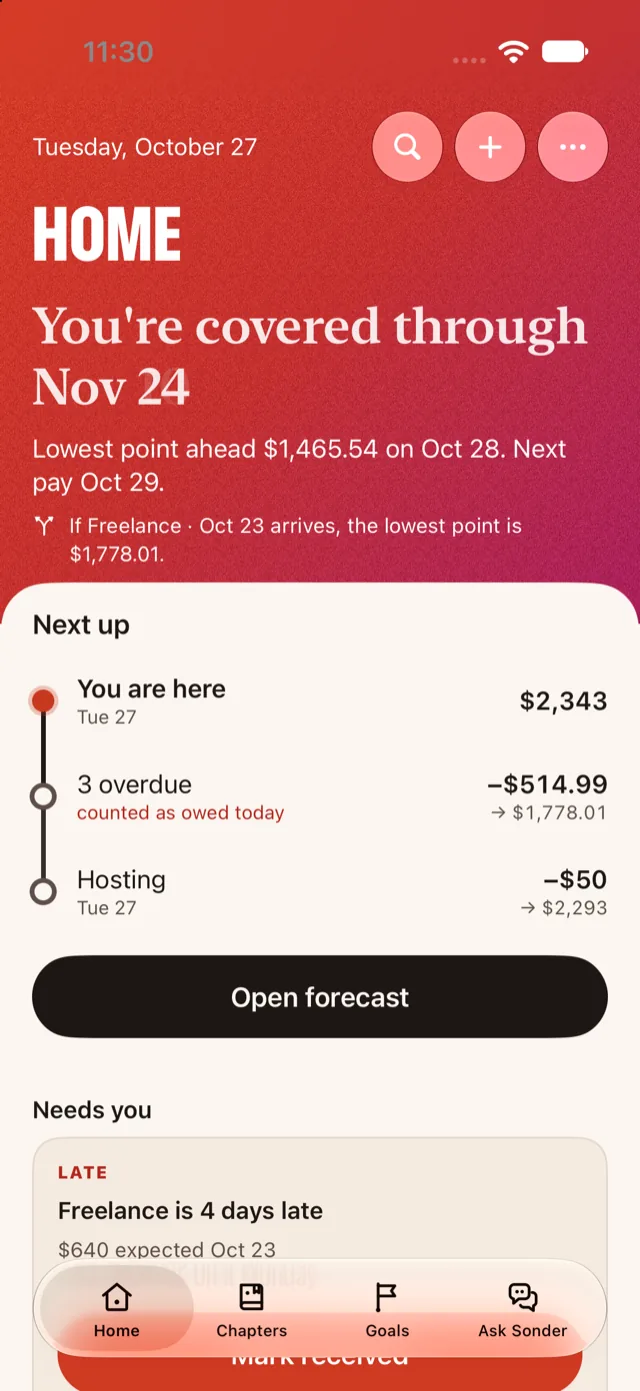
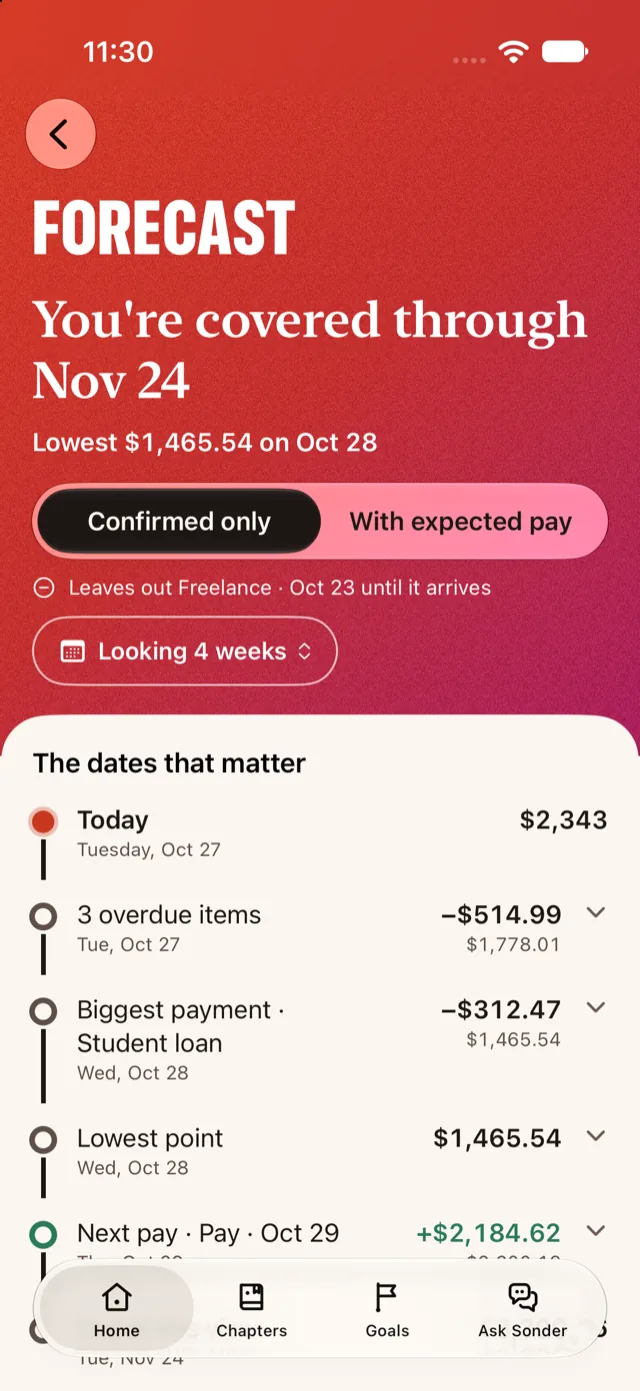
Sonder starts from what’s in your account today, adds the paydays and bills you’ve told it about, and shows the days that matter: your lowest point, the next payday, and where the plan runs short.
Screens show the app’s built-in sample data, not a real person’s finances. Sonder plans your money. It never moves it.
Sonder Check
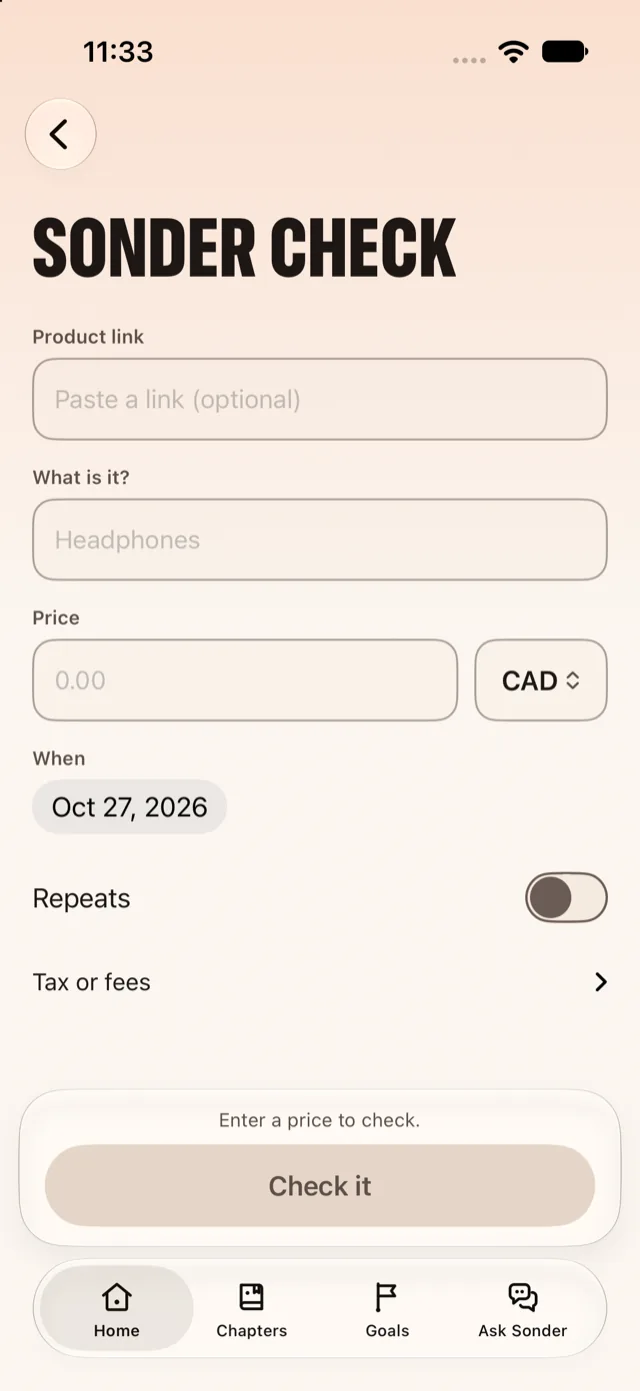
Put a price on it. Sonder shows what it does to the bills already on the calendar and the buffer you set, before you spend a cent.
Two Futures
Put two paths side by side before you commit. See what changes next month, and what changes a year from now.
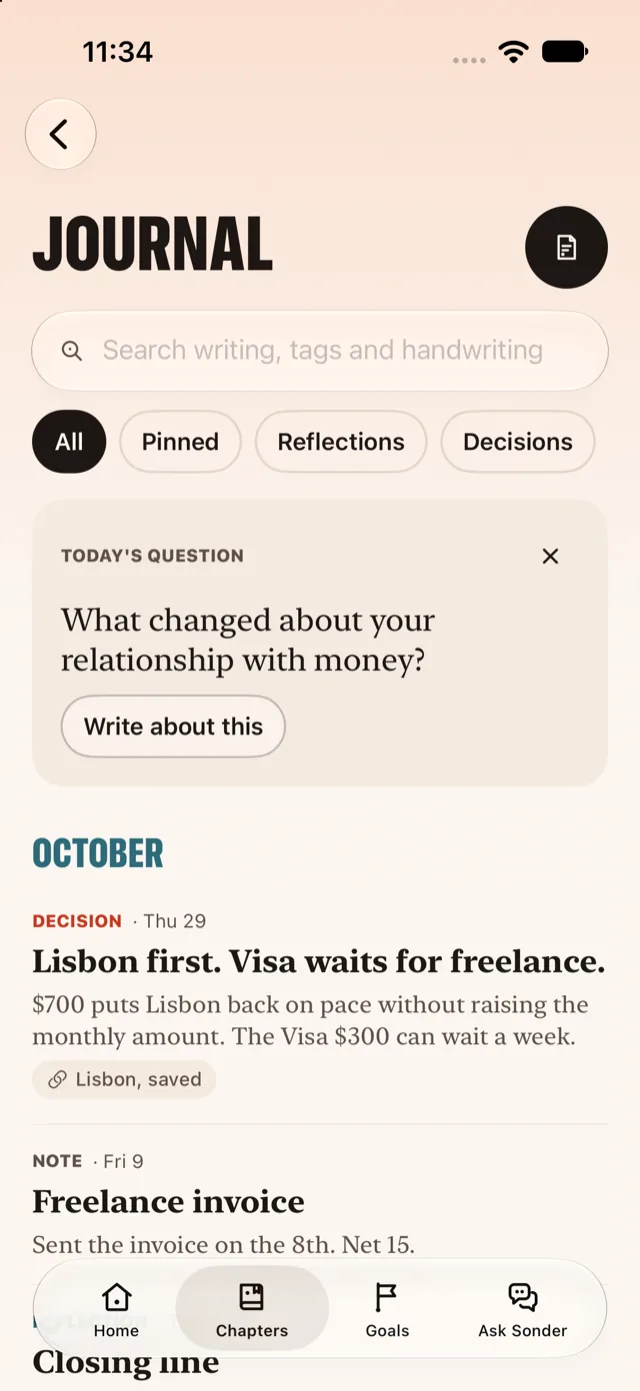
Chapters and Journal
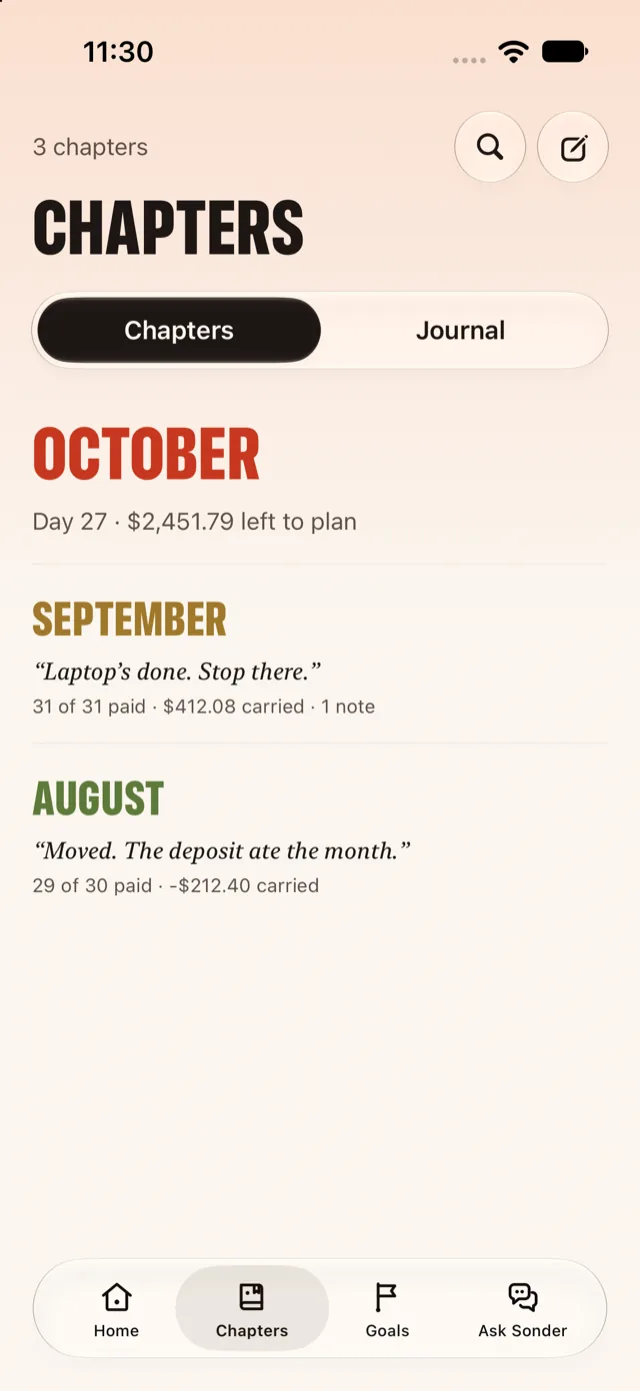
Every month is a chapter. Every number belongs to a story.
Write down why you decided, next to the numbers you decided with. Look back at a closed month and see what happened, what you carried, and what you were thinking. Your Journal stays private.
“Laptop’s done. Stop there.”
31 of 31 paid · $412.08 carried · 1 note
“Moved. The deposit ate the month.”
29 of 30 paid · −$212.40 carried
Sample chapters from the app’s demo data.
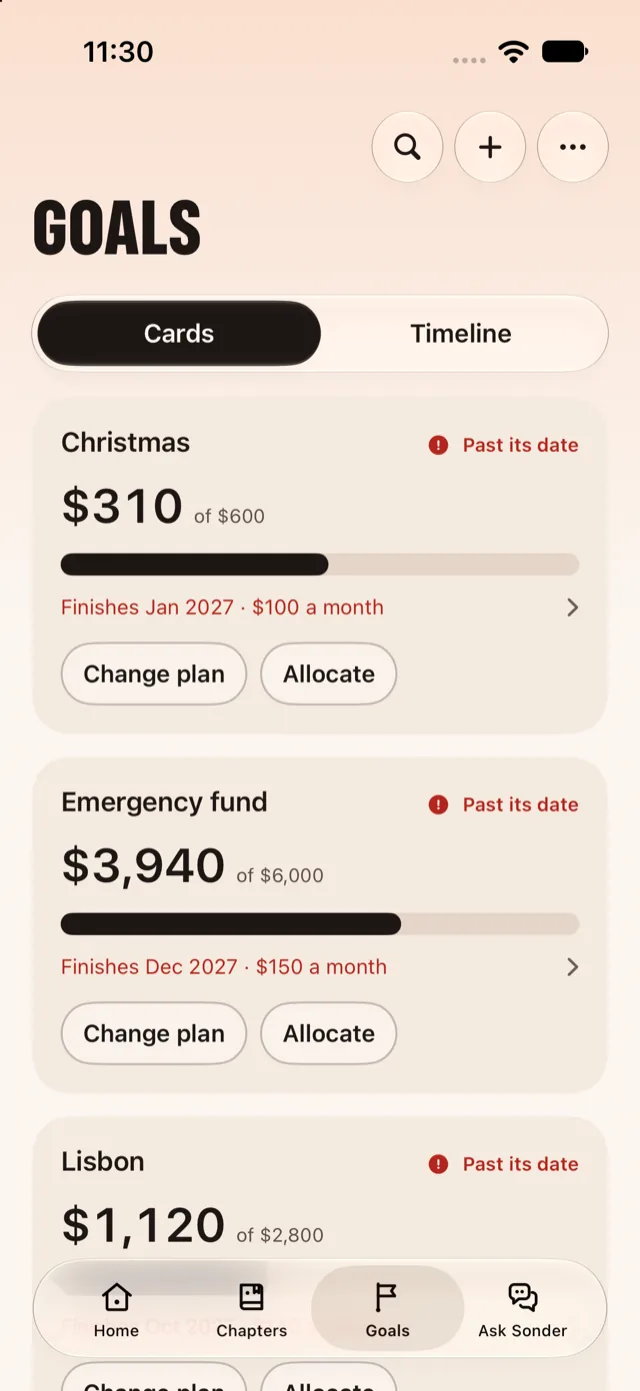
Goals
Pick an amount and a month. Watch the finish date move as you change the plan.
Ask Sonder
Type a question and get an answer from your own records, with the sources shown. When a change is needed, Sonder prepares it. You review it and confirm it. Nothing is saved silently.
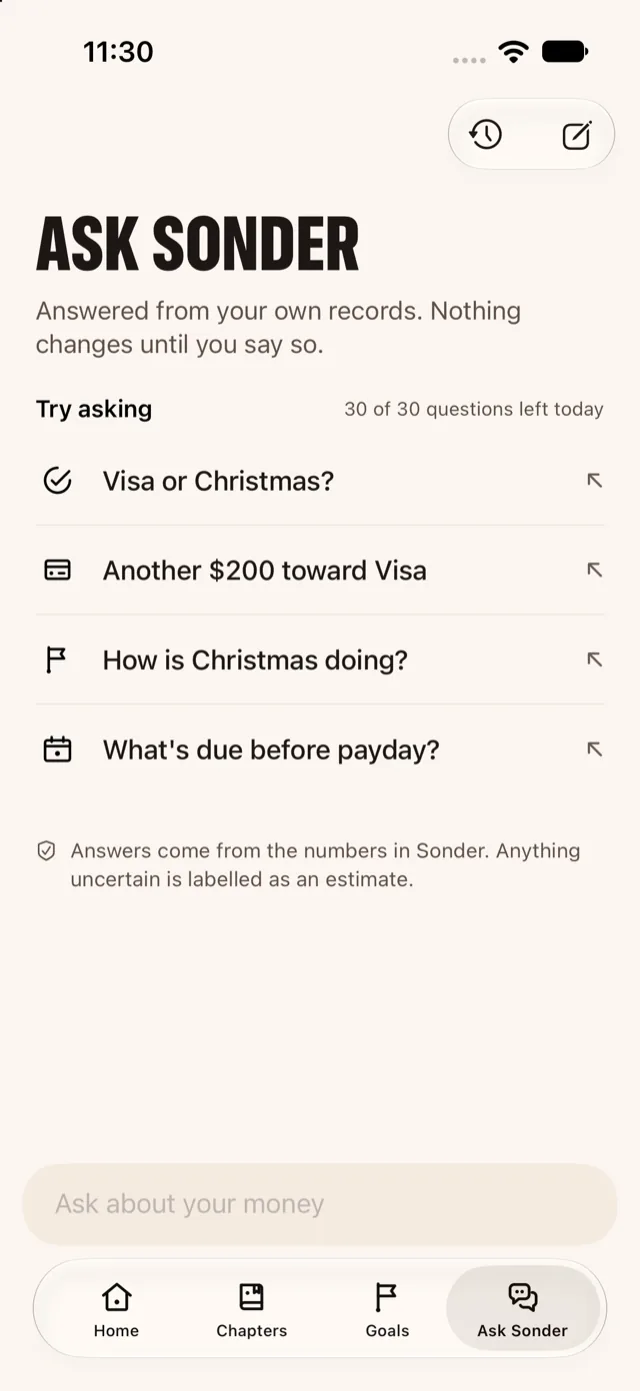
Ask Sonder sends your question, and only the records needed to answer it, to a third-party AI provider through Sonder’s own service. What leaves your device. Answers can be wrong, and they aren’t financial advice.
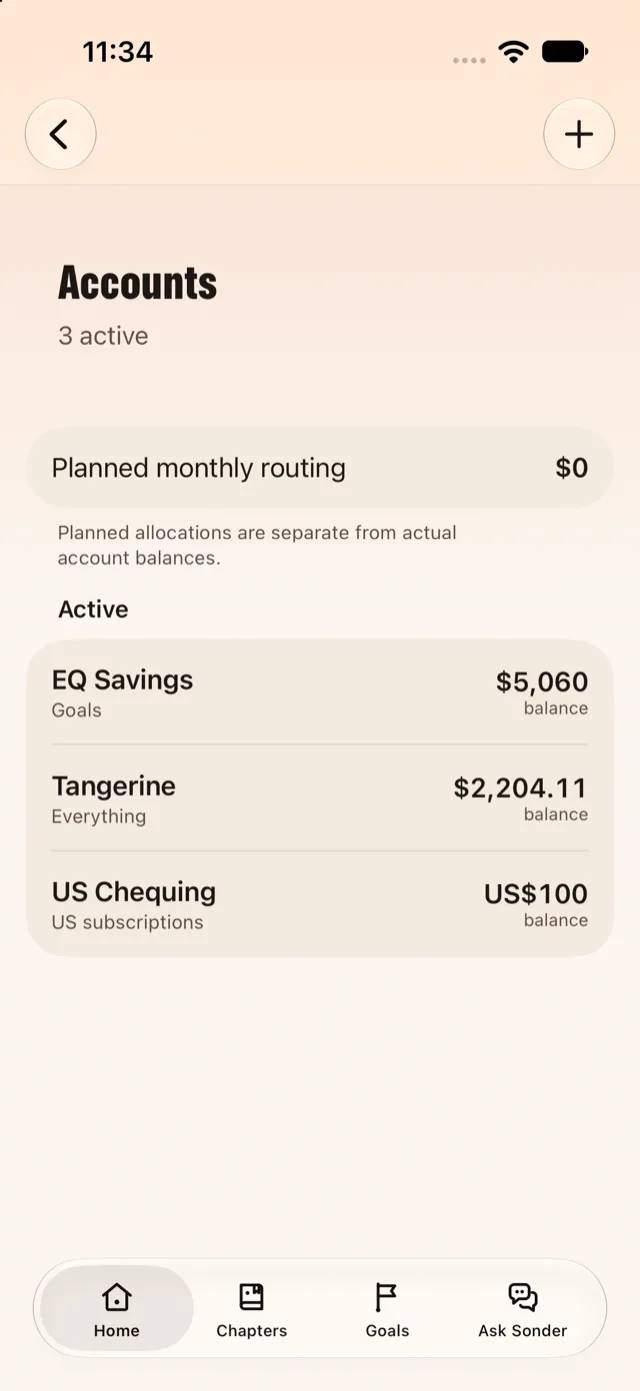
Accounts
Add your accounts and confirm what’s in them. Sonder keeps your confirmed balance, your planned routing, and what you’ve told it is coming, side by side, without needing a bank connection.
Privacy and control
Here is what Sonder does, and where the edges are.
Your plan lives on your iPhone or iPad. Turn on iCloud sync and it follows you between your own devices through your private iCloud, which Apple operates.
Your question and only the records needed to answer it are sent to an AI provider through our service. Your Journal stays out unless you switch it on, and locked entries never leave.
Sonder plans your money and never moves it. Changes suggested in a conversation are prepared for your review and need your confirmation.
Export a full backup or a month as CSV from Settings. Deleting Sonder’s data is covered in plain terms on one page.
Require Face ID or your passcode, hide financial values in the app, and hide them in widgets.
Apple handles payments. RevenueCat helps manage subscription status. Our AI service and an AI provider process Ask Sonder requests.
Sonder Plus
Sonder Plus is how you use Sonder. Every plan includes the same thing. Pick the rhythm that suits you.
$4.99 / week
$0.99 for your first week
For eligible new subscribers. After the first week it renews at $4.99 a week unless you cancel.
$79.99 / year
7-day free trial
For eligible new subscribers. The trial becomes the annual subscription at $79.99 a year unless you cancel before it ends. That works out to about $6.67 a month.
$12.99 / month
Renews monthly until you cancel. No introductory offer.
Prices are US-dollar reference prices. Apple shows the final price in your own currency, with any taxes, before you confirm, and it can differ by country. Subscriptions renew automatically. Trials and introductory offers depend on eligibility, and Apple decides eligibility. Subscription terms.
Plan the weeks ahead. Check a choice before you make it. Keep the story behind every number.